It’s 9 AM on a Tuesday, and you’re sitting at your kitchen table—laptop open, phone pinging with Slack notifications, a browser tab overflowing with unread emails, and a half-finished cup of cold coffee. You’re supposed to be “working from home,” but instead, you’re juggling 10 tasks at once, staring at your screen for hours on end, and feeling more drained than productive. Sound familiar? For millions of remote workers, freelancers, and entrepreneurs across the U.S. and Europe, this is the new normal—and it’s quietly eroding our productivity, our mental health, and our bottom line.
We’ve all been sold the dream of remote work: no commute, flexible hours, the freedom to work in your pajamas. But the reality is far messier. The lines between work and home have blurred beyond recognition. Our digital devices—once tools to simplify our lives—have become relentless distractions, trapping us in a cycle of constant connectivity, screen fatigue, and decision paralysis. And for high performers and entrepreneurs, the pressure to “always be on” is even greater: every unread message feels like a missed opportunity, every minute away from the screen feels like falling behind, and every bout of digital burnout feels like a failure.
But here’s the truth: productivity isn’t about working harder—it’s about working smarter by protecting your most valuable asset: your digital well-being. Digital wellness isn’t some “nice-to-have” self-care trend; it’s a strategic necessity for anyone looking to thrive in remote work. It’s about creating intentional habits around your digital tools, setting boundaries with technology, and reclaiming control over your time and attention. And when you prioritize digital wellness, you don’t just feel better—you perform better. You’re more focused, more creative, and more resilient. You make better decisions, build stronger relationships, and ultimately, earn more—whether you’re a remote employee climbing the corporate ladder, a freelancer juggling multiple clients, or an entrepreneur scaling your business.
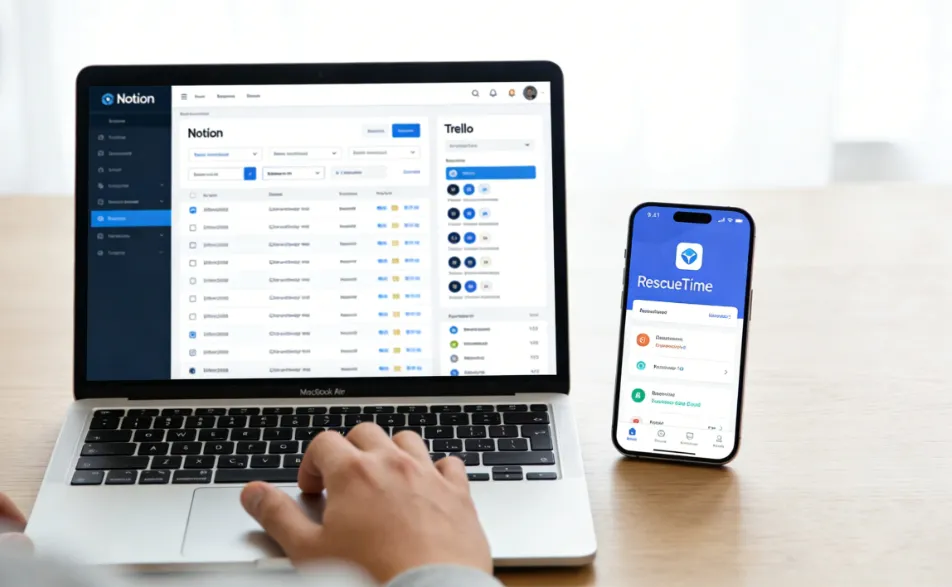
In this article, we’ll break down how digital wellness directly boosts remote work productivity, share the best screen time habits for high performers, and walk you through a practical digital detox plan tailored for entrepreneurs. Along the way, we’ll show you how three powerful tools—Notion, Trello, and RescueTime—can turn these habits into actionable routines, making it easier than ever to balance productivity and digital well-being. Because at the end of the day, your ability to master your digital life will determine your success in the remote work era.
Why Digital Wellness Is Non-Negotiable for Remote Work Productivity
Before we dive into habits and tools, let’s first unpack why digital wellness matters—especially for remote workers. When you work in an office, you have built-in boundaries: a commute that signals the start and end of your workday, physical separation between work and home, and colleagues who can see when you’re focused (or burned out). Remote work strips away all of that. Your laptop is in your living room, your phone is in your pocket, and work can creep into every hour of your day—from 6 AM emails to 10 PM Slack messages.
This constant connectivity takes a toll. According to a Microsoft study on the future of remote work, nearly 60% of employees report feeling less connected to their teams since the shift to remote work, and 57% say their meeting load has increased—with Teams meetings jumping 55% weekly. Add in the endless notifications, the pressure to “prove” you’re working, and the blurred work-life boundaries, and it’s no wonder 70% of remote workers report feeling burned out. And burnout doesn’t just make you tired—it kills productivity. A 2023 study by the American Psychological Association found that burned-out employees are 3x more likely to make mistakes, 2x more likely to miss deadlines, and 50% less likely to contribute creative ideas.
Digital wellness fixes this by addressing the root cause: our unhealthy relationship with technology. It’s about recognizing that our digital tools should serve us—not the other way around. When you practice digital wellness, you:
- Reduce cognitive overload: By limiting distractions and simplifying your digital workflow, you free up mental space to focus on high-priority tasks.
- Prevent screen fatigue: Extended screen time leads to eye strain, headaches, and mental exhaustion—all of which slow you down. Digital wellness habits help you take breaks and protect your energy.
- Regain control of your time: Instead of reacting to every notification, you set intentional times to check emails, messages, and social media—so you can focus on the work that matters.
- Improve mental health: Reducing digital stress lowers anxiety and improves mood, making you more resilient and better able to handle the challenges of remote work.
For high performers and entrepreneurs, this is game-changing. When you’re not exhausted by digital clutter and distractions, you can focus on the work that moves the needle: closing deals, building products, and growing your business. And for freelancers, digital wellness means better time management, happier clients, and the ability to take on more work without burning out. In short, digital wellness isn’t just about feeling good—it’s about making more money.
How Digital Wellness Boosts Productivity: The Science Behind the Habit
Let’s get practical: how exactly does digital wellness translate to higher productivity? It all comes down to two key factors: focus and energy. Remote work requires more self-discipline than office work, and every digital distraction chips away at your focus. A 2022 study by RescueTime found that the average knowledge worker spends just 2 hours and 53 minutes per day on focused work—and the rest is spent switching between tasks, checking notifications, and scrolling through irrelevant content. That’s a massive waste of potential.
Digital wellness habits help you reclaim that focus by eliminating unnecessary distractions. For example, setting designated times to check emails and messages means you’re not constantly interrupting your work to respond to every ping. Taking regular screen breaks prevents mental fatigue, so you can stay focused for longer periods. And organizing your digital workspace (yes, that means cleaning up your desktop and inbox) reduces decision paralysis—so you can start working faster without wasting time searching for files or messages.
Energy is the other piece of the puzzle. When you’re glued to your screen for 8+ hours a day, your brain and body get exhausted. This is known as “digital fatigue,” and it’s caused by the constant stimulation of blue light, the mental effort of processing endless information, and the stress of being “always on.” A 2021 study published inJournal of Occupational and Environmental Medicine found that employees who take regular screen breaks report 20% higher energy levels and 15% higher productivity than those who don’t.
But digital wellness isn’t just about reducing screen time—it’s about using screen time intentionally. As Taylor Lorenz, a former New York Times journalist who now runs a successful newsletter, demonstrates: she spends 17 hours a day on screens, but she’s intentional about how she uses that time—using her phone for writing, YouTube for background noise, and Netflix for winding down. The key isn’t to avoid screens altogether, but to use them in a way that serves your goals rather than draining your energy.
For entrepreneurs, this is especially important. You’re responsible for every aspect of your business, from marketing to customer service to product development. If you’re burned out from digital overload, you’ll struggle to make good decisions—and that will cost you money. By prioritizing digital wellness, you’ll have more energy to tackle the big tasks, more focus to solve problems, and more clarity to grow your business.
Best Screen Time Habits for High Performers (That Actually Work)
High performers aren’t born—they’re made by their habits. And when it comes to remote work, the best habits are the ones that protect your screen time and keep you focused. Below are the most effective screen time habits for high performers, along with how to use Notion, Trello, and RescueTime to make them stick.
1. Practice Time Blocking (and Stick to It)
Time blocking is the gold standard for remote work productivity—and it’s a cornerstone of digital wellness. The idea is simple: divide your day into blocks of time dedicated to specific tasks, and only work on one task during each block. This eliminates decision fatigue, reduces distractions, and ensures you’re spending time on high-priority work.
But here’s the catch: time blocking only works if you’re intentional about it. Many remote workers create a time block schedule but then get derailed by notifications, emails, or unexpected tasks. That’s where Notion comes in. Notion’s flexible workspace allows you to create a custom time block calendar that integrates with your tasks, notes, and goals—so you can see exactly what you need to work on, when.
How to use Notion for time blocking:
- Create a “Time Block Calendar” database in Notion, with columns for Task, Time Block, Priority, and Status.
- Add your high-priority tasks (e.g., “Client Proposal,” “Product Development”) to the database, and assign each a specific time block (e.g., 9 AM–11 AM).
- Use Notion’s “Full Screen” mode during your time blocks to eliminate distractions—no browser tabs, no notifications, just your task and your focus.
- At the end of each day, review your time blocks to see what worked and what didn’t—and adjust your schedule for the next day.
Pro tip: Add a “Focus Block” to your schedule every day—1–2 hours of uninterrupted time where you turn off all notifications and focus solely on your most important task. This is where you’ll get your best work done.
2. Set “No-Screen” Boundaries (Yes, Even as a Remote Worker)
One of the biggest challenges of remote work is separating work from home. When your laptop is in your living room, it’s easy to keep working long after your workday should end. This leads to burnout, reduced productivity, and a poor work-life balance. The solution? Set “no-screen” boundaries—times of the day when you put away your devices and disconnect.
For high performers, this might mean:
- No screens for the first 30 minutes after waking up (use this time to meditate, exercise, or drink coffee without distractions).
- No work screens after 7 PM (focus on family, hobbies, or relaxation instead).
- A “screen-free” lunch break (step away from your desk, go for a walk, and eat without scrolling).
But how do you enforce these boundaries when your work is digital? RescueTime can help. RescueTime is a tool that tracks your screen time and shows you exactly how you’re spending your time on your devices. It can send you alerts when you’ve exceeded your screen time limits, and even block distracting apps during your no-screen hours.
How to use RescueTime for no-screen boundaries:
- Set up “Focus Sessions” in RescueTime for your work hours, and “No-Screen Sessions” for your off-hours.
- Configure RescueTime to block distracting apps (e.g., Instagram, TikTok, Facebook) during your focus sessions and no-screen sessions.
- Review your RescueTime weekly report to see how well you’re sticking to your boundaries—and adjust as needed. For example, if you’re spending 2 hours on social media after work, you might need to set a stricter screen time limit.
Remember: No-screen boundaries aren’t about being “unproductive”—they’re about recharging your energy so you can be more productive when you are working. As the Red杉汇 notes, true productivity comes from balancing “natural rewards” (like rest and focus) with “代理奖励” (like social media scrolling)—and no-screen time helps you prioritize the former.
3. Tame Digital Clutter (It’s Stealing Your Focus)
Digital clutter—unorganized inboxes, messy desktops, endless browser tabs—might seem harmless, but it’s a silent productivity killer. Every time you look at a cluttered screen, your brain has to process extra information, which drains your mental energy and makes it harder to focus. High performers know that a clean digital workspace equals a clean mind.
Trello is the perfect tool for taming digital clutter—especially for freelancers and entrepreneurs who juggle multiple clients, projects, and tasks. Trello’s kanban board system allows you to organize your tasks, projects, and deadlines in a visual way, so you can see exactly what needs to be done, without the clutter.
How to use Trello to reduce digital clutter:
- Create a Trello board for each client or project. Use lists like “To Do,” “In Progress,” “Waiting for Feedback,” and “Done” to track tasks.
- Add attachments (e.g., files, links, documents) directly to Trello cards, so you don’t have to search through your email or desktop to find what you need.
- Use Trello’s “Labels” feature to categorize tasks by priority (e.g., “High Priority,” “Low Priority”) or type (e.g., “Writing,” “Design,” “Client Calls”).
- Archive completed tasks and old projects to keep your board clean and focused on what’s current.
Pro tip: Use Trello alongside Notion to create a seamless workflow. For example, link Trello cards to Notion pages for detailed notes, and use Notion’s database to track deadlines and progress across all your Trello boards. This way, you have one central hub for all your digital tasks and information—no more jumping between apps.
4. Take Intentional Screen Breaks (Not Mindless Scrolling)
We all know we need to take screen breaks—but most of us do it wrong. Instead of stepping away from our devices, we scroll through Instagram or TikTok during our breaks, which only makes our digital fatigue worse. High performers take intentional screen breaks—breaks that recharge their energy and help them come back to work more focused.
The 20-20-20 rule is a simple, effective way to take intentional screen breaks: every 20 minutes, look at something 20 feet away for 20 seconds. This reduces eye strain and gives your brain a quick break from screen stimulation. But you can take it a step further by using your breaks to do something that recharges you—like stretching, drinking water, or taking a short walk.
RescueTime can help you remember to take breaks. You can set up “Break Reminders” in RescueTime that alert you every 20–30 minutes to step away from your screen. And if you’re prone to mindless scrolling during breaks, RescueTime can block distracting apps during your break time, so you’re forced to take a real break.
Another tip: Use your break time to practice “micro-detoxes.” Instead of picking up your phone, close your eyes and take a few deep breaths, or step outside for some fresh air. These small breaks add up, and they’ll help you stay focused and energized throughout the day.
Digital Detox for Entrepreneurs: Reclaim Your Time and Focus (Without Sacrificing Growth)
Entrepreneurs face a unique challenge when it comes to digital wellness: you’re responsible for growing your business, which means you can’t just “unplug” entirely. You need to stay connected to clients, team members, and industry trends—but you also need to protect your focus and energy. A digital detox for entrepreneurs isn’t about eliminating technology; it’s about using technology intentionally and setting boundaries that allow you to grow your business without burning out.
Below is a 7-day digital detox plan tailored for entrepreneurs, with actionable steps and tools to help you stick to it. This plan is designed to help you reduce digital clutter, eliminate distractions, and reclaim your focus—all while keeping your business running smoothly.
Day 1: Audit Your Digital Habits
Before you can detox, you need to know where you’re spending your time. Spend Day 1 using RescueTime to track your screen time and digital habits. Pay attention to:
- Which apps and websites are taking up the most time (are they work-related or distracting?)
- How many times you’re interrupted by notifications (emails, Slack, text messages)
- When you’re most productive (e.g., morning, afternoon) and when you’re most likely to get distracted
At the end of the day, review your RescueTime report and identify 3–5 distractions that are stealing your time (e.g., social media, unnecessary emails, endless Slack messages). These will be your focus for the rest of the detox.
Day 2: Declutter Your Digital Workspace
Today, focus on taming digital clutter. Start with your email inbox: unsubscribe from unwanted newsletters, delete or archive old emails, and create folders for important emails (e.g., “Clients,” “Projects,” “Personal”). Next, clean up your desktop: delete unused files, organize folders, and set a clean wallpaper (this reduces visual clutter and helps you focus).
Then, use Trello to organize your tasks and projects. If you already use Trello, take some time to archive old boards, update task statuses, and remove any unnecessary cards. If you’re new to Trello, create a board for your current projects and start adding tasks—this will help you see exactly what needs to be done, without the clutter.
Day 3: Set Up Focus Tools
Today, configure your tools to support focus and productivity. Start with Notion: create a custom workspace that includes your time block calendar, task list, and project notes. Use Notion’s “Templates” to save time—there are pre-built templates for remote work, project management, and goal tracking.
Next, set up RescueTime to block distracting apps and websites during your focus sessions. Configure break reminders to ensure you’re taking intentional breaks. And if you use Slack or email, set up notifications to only alert you during specific times (e.g., 10 AM–12 PM and 2 PM–4 PM)—this way, you’re not interrupted every time a message comes in.
Day 4: Practice Single-Tasking
Multitasking is a myth—and it’s killing your productivity. Today, practice single-tasking: focus on one task at a time, and don’t move on to the next task until the first one is done. Use your Notion time block calendar to guide you, and use RescueTime to track your focus time.
For entrepreneurs, this might mean:
- Spending the morning focused solely on client work, without checking emails or Slack.
- Spending the afternoon on product development, without getting distracted by social media or industry news.
Remember: Single-tasking doesn’t mean you’re doing less—it means you’re doing better work in less time. According to a study by the University of California, Irvine, it takes an average of 23 minutes and 15 seconds to get back to a task after being interrupted. By single-tasking, you eliminate those interruptions and get more done.
Day 5: Unplug in the Evening
Entrepreneurs often struggle to “turn off” work—but it’s essential for your mental health and productivity. Today, set a strict “unplug time” (e.g., 7 PM) and stick to it. After 7 PM, put away your laptop and phone, and do something that recharges you—spend time with family, read a book, exercise, or practice a hobby.
Use RescueTime to enforce your unplug time—block all work apps and websites after 7 PM, so you’re not tempted to check emails or work on projects. And if you’re worried about missing urgent messages, set up an auto-reply for your email and Slack that lets people know you’ll respond the next day.
Day 6: Reflect and Adjust
Today, take some time to reflect on your digital detox so far. Review your RescueTime reports from the past 5 days—how has your screen time changed? Are you more focused? Do you feel less burned out? Identify what’s working and what’s not.
For example, if you’re still getting distracted by Slack notifications, you might need to set stricter notification limits. If you’re struggling to stick to your time blocks, you might need to adjust your schedule to align with your most productive hours. Use Notion to jot down your reflections and adjust your digital wellness habits accordingly.
Day 7: Create a Long-Term Digital Wellness Routine
The goal of a digital detox isn’t to make you “perfect”—it’s to help you create sustainable habits that support your productivity and well-being. On Day 7, create a long-term digital wellness routine that you can stick to after the detox. This might include:
- Time blocking every day (using Notion).
- Taking intentional screen breaks (using RescueTime).
- Unplugging in the evening (using RescueTime’s block feature).
- Taming digital clutter weekly (using Trello and Notion).
Remember: Digital wellness is a journey, not a destination. It’s okay to have off days—what matters is that you keep coming back to your habits. And as your business grows, your digital wellness routine will evolve too—so be flexible and adjust as needed.
Why This Matters for Your Bottom Line (And How It Boosts Your Website Revenue)
We’ve talked a lot about productivity and well-being—but how does this translate to making more money? For remote workers, freelancers, and entrepreneurs, the connection is clear: when you’re more focused, more energized, and less burned out, you can do better work, take on more clients, and grow your business faster. But for your website, there’s an added bonus: content that resonates with your audience drives more traffic, engagement, and revenue—especially from high-value advertisers.
Your website’s audience is made up of remote workers, freelancers, and entrepreneurs—people who are struggling with digital overload, screen fatigue, and productivity issues. They’re actively looking for solutions to these problems—and when you provide them with actionable, valuable content (like this article), they’ll keep coming back to your site. This increases your traffic, your engagement metrics, and your ad revenue.
And here’s the key: the advertisers that target this audience (SaaS tools, efficiency software, online courses) have some of the highest CPC (Cost Per Click) rates in the industry. Why? Because these advertisers know that remote workers, freelancers, and entrepreneurs are willing to pay for tools and resources that help them be more productive and grow their businesses. When your content helps these readers solve their problems, they’re more likely to click on ads for tools like Notion, Trello, RescueTime, and other productivity software—earning you more revenue.
For example, when you write about how to use Notion for time blocking, readers who are struggling with time management will be more likely to click on a Notion ad to learn more. When you talk about how RescueTime helps you reduce screen time, readers who are burned out will be more likely to click on a RescueTime ad to try the tool. And when you share your digital detox plan, readers who are feeling overwhelmed will be more likely to click on ads for online courses that teach productivity and digital wellness.
In short, creating content about digital wellness isn’t just good for your audience—it’s good for your bottom line. By addressing their pain points, providing actionable solutions, and integrating tools they use (Notion, Trello, RescueTime), you’ll create a win-win: your readers get the help they need, and you get more traffic and ad revenue.
Final Thoughts: Digital Wellness Is Your Secret Weapon for Remote Work Success
Remote work isn’t going anywhere—and neither is our reliance on digital tools. But that doesn’t mean we have to be held hostage by our devices. Digital wellness is the secret weapon that will help you thrive in the remote work era—whether you’re a remote employee, a freelancer, or an entrepreneur. It’s about creating intentional habits, setting boundaries, and using tools like Notion, Trello, and RescueTime to work smarter, not harder.
Remember: Productivity isn’t about working more hours—it’s about working better hours. It’s about protecting your focus, recharging your energy, and reclaiming control over your digital life. When you do that, you’ll not only be more productive—you’ll be happier, healthier, and more successful.
So, what are you waiting for? Start small: pick one screen time habit to implement today (like time blocking with Notion or setting no-screen boundaries with RescueTime). Then, build from there. Your productivity, your mental health, and your bottom line will thank you.