We’ve all been there: staring at a screen that freezes mid-task, fumbling with a keyboard that lags with every keystroke, or squinting at a single monitor while juggling 10 tabs, a spreadsheet, and a video call. You tell yourself, “I just need to work harder,” but the truth is—your hardware is holding you back. In a world where time is money and efficiency is non-negotiable, working slower isn’t a failure of effort; it’s a failure of your setup. The good news? The right hardware upgrades don’t just fix frustration—they transform how you work, helping you accomplish more in less time, reduce stress, and even reclaim work-life balance. This isn’t about splurging on the latest gadgets for bragging rights; it’s about investing in tools that actually boost productivity—tools that align with how you work, whether you’re a remote freelancer in Berlin, a startup founder in New York, or a corporate professional in London.
Let’s be honest: users (whether in North America or Europe) value their time more than almost anything. We’re a culture that prioritizes results, hates wasted minutes, and craves tools that work as hard as we do. Yet millions of us are still using outdated, inefficient hardware that turns simple tasks into tedious chores. A 2026 consumer electronics report found that North America and Europe together account for over 45% of the global consumer electronics market, but our setups often don’t reflect that investment—especially when it comes to productivity-focused gear. We’ll drop $5 on a fancy coffee to get through the afternoon, but we hesitate to upgrade a laptop that’s been struggling for 3 years, or a mouse that leaves our wrists sore after a day’s work. The irony? Those small, intentional hardware upgrades often deliver a higher return on investment than any caffeine boost—saving you hours every week, reducing burnout, and even improving your quality of work.
This article isn’t just a list of “must-have gadgets.” It’s a guide to upgrading your setup in a way that resonates with the unique needs of users: we want tools that are innovative but practical, durable but not overly complicated, and aligned with our values—whether that’s the North American focus on brand and functionality, or Europe’s emphasis on sustainability and energy efficiency. We’ll break down the hardware that actually moves the needle, debunk the myths about “productivity gadgets” that don’t deliver, and show you how small upgrades can add up to big results. By the end, you’ll understand why upgrading your setup isn’t a luxury—it’s a necessity if you want to stop working slower and start working smarter.
The Hidden Cost of a Slow Setup: Why Your Hardware Is Holding You Back
Before we dive into the upgrades, let’s talk about the cost of doing nothing. Most of us don’t realize how much time we waste on inefficient hardware until we make a change. A lagging laptop might cost you 5 minutes every hour waiting for apps to load—add that up over a 40-hour workweek, and you’re losing 16+ hours a month. A poorly designed keyboard can slow your typing speed by 20%, turning a 30-minute email into a 40-minute chore. A single monitor forces you to constantly switch between tabs, breaking your focus and increasing the chance of mistakes. And let’s not forget the physical toll: an uncomfortable chair, a misaligned monitor, or a bulky mouse can lead to fatigue, neck pain, and even repetitive stress injuries—all of which kill productivity and take a toll on your health.
For users, this inefficiency hits differently. In North America, where the “hustle culture” is still prevalent but burnout is a growing concern, wasted time feels like a missed opportunity—whether it’s losing out on a client, falling behind on a project, or missing family time because you’re stuck working late. In Europe, where work-life balance is deeply valued, inefficient hardware can disrupt that balance, forcing you to work longer hours just to keep up, even as you prioritize sustainability and quality of life. Steelcase research found that 88-90% of people want to return to the office, in part because home setups often lack the hardware needed for peak productivity—especially for regular employees, who are far less likely than executives to have ergonomic chairs, dual monitors, or high-performance devices at home. The data is clear: a slow, uncomfortable setup doesn’t just make work harder—it makes life harder.
Worse, many of us fall into the trap of thinking, “My current setup works fine.” But “fine” isn’t enough—not when “better” could save you hours, reduce stress, and help you produce higher-quality work. Imagine if you could cut 10 hours off your workweek just by upgrading a few key pieces of hardware. What would you do with that time? Spend it with family? Pursue a side hustle? Take a break and recharge? That’s the power of upgrading your setup—it’s not just about working faster; it’s about working better, so you can live better.
Hardware That Actually Boosts Productivity: The Essentials for Users
Not all hardware is created equal. There are endless gadgets marketed as “productivity boosters” that end up collecting dust—think fancy smart desks that cost $1,000 but don’t actually improve your workflow, or wireless chargers that are more gimmick than game-changer. The best productivity hardware is simple, reliable, and tailored to how you work. Below are the upgrades that deliver real results, with a focus on the preferences of North American and European users—from AI-powered tools for North America’s innovation-focused audience to sustainable, durable options for Europe’s eco-conscious consumers.
1. The Foundation: A High-Performance Laptop or Desktop (No More Lag)
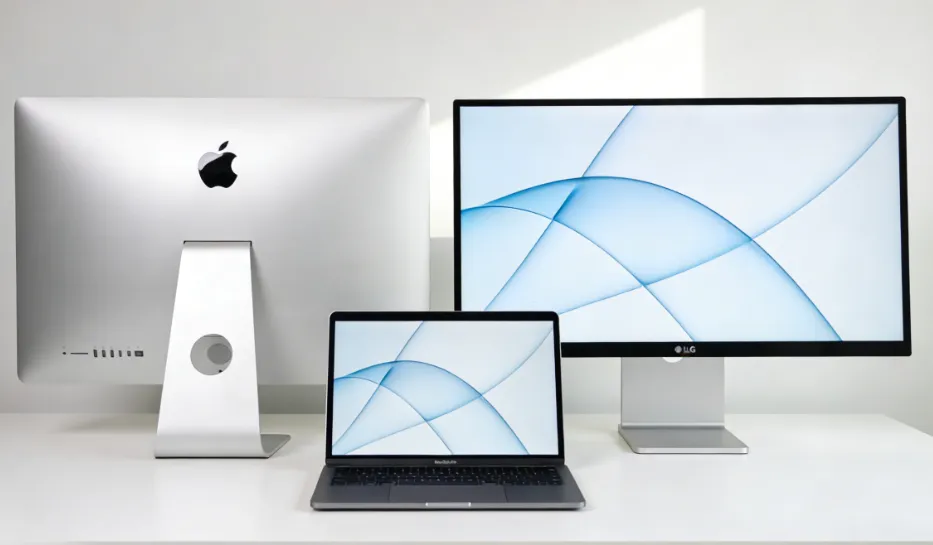
Your computer is the heart of your setup—and if it’s slow, everything else suffers. For users, this isn’t just about having the latest model; it’s about having a device that can keep up with your workflow. North American users, who often prioritize brand and AI integration, might lean toward a 2026 Apple MacBook Air M5 with its powerful M5 chip, all-day battery life, and AI-ready capabilities—perfect for multitasking, video editing, or running AI-powered productivity tools. European users, on the other hand, might prefer a durable, energy-efficient laptop with a focus on sustainability—like a Lenovo model with a replaceable battery and low-power display, aligning with Europe’s Ecodesign Directive and preference for long-lasting, repairable devices.
The key here is to avoid overcomplicating it. You don’t need a $3,000 gaming laptop unless you’re a video editor or graphic designer. But you do need a device with enough RAM (8GB minimum, 16GB or more for multitasking), a fast processor (Intel i5/i7 or AMD Ryzen 5/7, or Apple’s M-series chips), and a solid-state drive (SSD) instead of a traditional hard drive. SSDs load apps in seconds, boot up your computer in under a minute, and eliminate the frustrating lag that comes with old hard drives. For remote workers or those who travel frequently—common in both North America and Europe—a lightweight laptop (under 3 pounds) with a long battery life (10+ hours) is a game-changer. No more being tied to a power outlet, no more waiting for your laptop to catch up, no more losing work because of a slow system.
Pro Tip for North American Users: Look for devices with Thunderbolt connectivity and AI integrations—like the Samsung Galaxy S26 Ultra’s privacy display (which keeps your work secure in public spaces) or laptops with built-in AI assistants that help streamline tasks. For European Users: Prioritize devices with CE, RoHS, and WEEE certifications, and look for brands that offer repair services to extend the device’s lifecycle—aligning with Europe’s focus on sustainability and reducing e-waste.
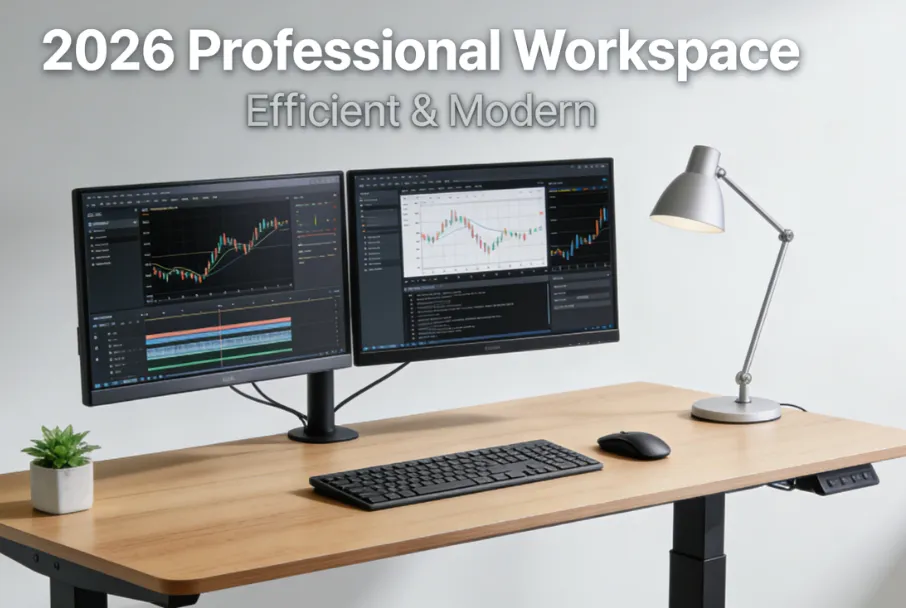
2. Dual Monitors: Double Your Screen Space, Double Your Productivity
If you’re still using a single monitor, you’re wasting hours of potential productivity—especially if you work with spreadsheets, code, or multiple tabs. Research shows that dual monitors can increase productivity by 20-30% by eliminating the need to switch between windows. For users, this is a low-cost, high-impact upgrade that aligns with how we work: North American professionals often juggle multiple tasks at once (emails, meetings, project management tools), while European users value efficiency in their workday to maintain work-life balance. Steelcase research found that 43% of executives use a second monitor at home, compared to just 29% of regular employees—showing that those in the know are already leveraging this simple upgrade to work faster.
How to choose the right dual monitors? For most users, 24-inch monitors with a 1080p resolution are perfect—they’re large enough to see clearly but not so big that they take up your entire desk. If you’re a designer or video editor, you might want 4K monitors, but for most professionals (writers, marketers, administrative staff), 1080p is more than enough. North American users might prefer monitors with built-in speakers or USB-C ports for seamless connectivity to their laptops, while European users might prioritize energy-efficient models with low power consumption—aligning with Europe’s focus on sustainability.
The best part? Dual monitors don’t have to be expensive. You can find quality 24-inch monitors for $100-$150 each, and most laptops (even older models) can support dual monitors with an adapter. Imagine having your email open on one screen, your spreadsheet on the other, and a video call running in a small window—no more tab-switching, no more losing your place, no more frustration. It’s a simple upgrade that feels like a luxury, but it’s actually a necessity for anyone who wants to work faster and smarter.
3. Ergonomic Peripherals: Comfort = Productivity (No More Sore Wrists)
We spend hours every day typing, clicking, and scrolling—so why do we settle for cheap, uncomfortable keyboards and mice? Ergonomic peripherals aren’t just a “nice-to-have”; they’re essential for long-term comfort and productivity. For users, who often work 8+ hours a day, the physical toll of a bad keyboard or mouse can lead to fatigue, pain, and even time off work. Lenovo’s research highlights that ergonomic accessories—like adjustable monitor stands, ergonomic keyboards, and mice—reduce physical stress and keep you focused for longer periods.
Let’s start with keyboards. A mechanical keyboard is a game-changer for anyone who types a lot. Unlike cheap membrane keyboards, mechanical keyboards have tactile switches that make typing faster and more comfortable—you’ll type with less effort, and you’ll make fewer mistakes. North American users might prefer a mechanical keyboard with RGB lighting and customizable keys (perfect for gamers or creative professionals), while European users might lean toward a sleek, minimalist design that fits with their clean desk aesthetic and is made from sustainable materials. For those who suffer from wrist pain, an ergonomic split keyboard (which splits the keyboard into two halves) can reduce strain by allowing your hands to rest in a natural position.
Next, mice. A good ergonomic mouse fits comfortably in your hand, reduces wrist strain, and has programmable buttons to streamline tasks (like opening your email or switching between tabs with a single click). Wireless mice are a must for a clutter-free desk—no more tangled cords to distract you. North American users might prefer a mouse with a high DPI (dots per inch) for precise control (great for designers or gamers), while European users might prioritize a compact, energy-efficient model that’s easy to store and durable. For even more comfort, consider a vertical mouse—its unique design reduces wrist rotation, which is a common cause of pain.
Don’t forget about your chair and desk! An ergonomic chair that supports your back and adjusts to your height can reduce back pain and keep you comfortable for hours. Steelcase found that executives are 46% more likely to have an ergonomic chair at home than regular employees—another example of how small investments in comfort can lead to big productivity gains. For European users, a sit-stand desk is a great option—it allows you to switch between sitting and standing, reducing fatigue and aligning with Europe’s focus on health and sustainability. North American users might prefer a smart sit-stand desk with AI-powered height adjustments, which integrates with their smart home ecosystem.
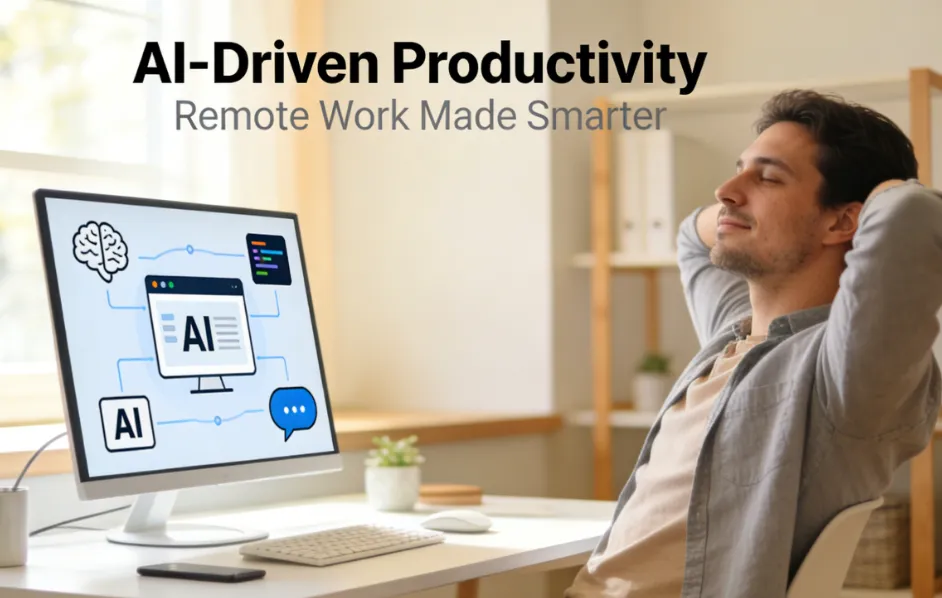
4. AI-Powered Tools: Work Smarter, Not Harder
2026 is the year of AI-powered productivity, and North American users are leading the charge—with 65% of owning two or more devices, and AI-enabled gadgets like voice-controlled remotes seeing a 120% sales increase in 2025. European users are also embracing AI, but they’re more focused on tools that are practical and sustainable—no gimmicks, just real value. AI-powered hardware isn’t about replacing you; it’s about handling the tedious, repetitive tasks so you can focus on the work that matters.
For North American users, AI-powered smart assistants (like ChatGPT-enabled speakers or voice-controlled docking stations) can streamline tasks: set reminders, schedule meetings, answer questions, and even control your other smart devices—all with your voice. The Plaud Note Pin S, an AI meeting recorder, is another great option—it transcribes meetings in real time, highlights key points, and sends you a summary, so you don’t have to waste time taking notes. For European users, AI-powered tools that focus on efficiency and sustainability—like smart lighting that adjusts to your work schedule to save energy, or AI-enabled battery chargers that extend the life of your devices—are more appealing.
Another AI-powered must-have is a high-quality webcam with AI-enhanced features. With remote work still common in both North America and Europe, a good webcam is essential for video calls. Look for webcams with AI noise cancellation (to block out background noise, whether it’s a barking dog or a noisy neighbor) and AI auto-focus (to keep you in frame, even if you move around). North American users might prefer a webcam with 4K resolution for professional-looking calls, while European users might prioritize a compact, energy-efficient model that’s easy to store when not in use.
5. Sustainable, Durable Gear: For European Values and Long-Term Savings
Europe’s focus on sustainability and long-term value is a key differentiator when it comes to productivity hardware. Unlike North America, which often prioritizes innovation and brand, European users want gear that’s durable, repairable, and eco-friendly—aligning with the Ecodesign Directive, which requires to be repairable and recyclable. This isn’t just a “green” choice; it’s a practical one—durable gear lasts longer, saves you money in the long run, and reduces e-waste.
For European users, look for hardware with replaceable batteries (like wireless earbuds or mice), repairable components (like laptops with easily accessible RAM and storage), and low power consumption. Brands that offer repair services and use sustainable materials (like recycled plastic or aluminum) are also a plus. For example, are growing in popularity in Western Europe—they’re durable, offer better sound quality than headphones, and are less likely to be lost or broken. North American users can also benefit from sustainable gear—durable hardware means fewer replacements, which saves money and reduces waste.
Pro Tip for European Users: Prioritize products with CE, RoHS, and WEEE certifications to ensure they meet Europe’s strict environmental and safety standards. For North American Users: Look for Energy Star certified devices to save on electricity costs and reduce your carbon footprint—aligning with the growing focus on sustainability in North America’s consumer market.
Debunking the Myths: What Doesn’t Actually Boost Productivity
With so many “productivity gadgets” on the market, it’s easy to waste money on things that don’t deliver. Let’s set the record straight on the most common myths, so you can focus your budget on upgrades that actually work—especially for users.
Myth 1: “You need the most expensive gear to be productive.” False. You don’t need a $2,000 laptop or a $500 keyboard to work faster. The best productivity hardware is affordable and tailored to your needs. A $300 SSD upgrade can make your old laptop feel like new. A $50 ergonomic mouse can reduce wrist pain and improve your typing speed. Focus on value, not price—especially if you’re on a budget. For European users, this aligns with the preference for practical, no-frills gear; for North American users, it means avoiding the “shiny object syndrome” of buying the latest gadget just because it’s trendy.
Myth 2: “More gadgets = more productivity.” False. Having 10 different smart devices cluttering your desk will do the opposite of boost productivity—it will distract you. The best setup is simple and streamlined: a good laptop, dual monitors, ergonomic peripherals, and one or two AI-powered tools that solve a specific problem. Quality over quantity is key—especially for European users, who prefer minimalism and functionality, and North American users, who want tools that integrate seamlessly into their existing ecosystem.
Myth 3: “Remote work doesn’t require a fancy setup.” False. Steelcase research found that 55% of people say it’s harder to collaborate from home, and a big part of that is inefficient hardware. Whether you work from home full-time or just a few days a week, your setup should be as functional as an office. A cheap chair, a single monitor, and a lagging laptop will make remote work feel like a chore—not a convenience. For users, who value work-life balance, a good home setup is essential to avoid working longer hours just to keep up.
Myth 4: “AI gadgets are just gimmicks.” False. While some AI gadgets are nothing more than marketing hype, the right AI-powered tools can save you hours. For example, an AI meeting recorder transcribes your calls so you don’t have to take notes. An AI-powered keyboard suggests words as you type, reducing typos and speeding up your writing. The key is to choose AI tools that solve a specific problem—don’t buy something just because it has “AI” in the name. North American users might be more open to experimenting with AI gadgets, while European users should focus on AI tools that offer practical value and align with their sustainability goals.
How to Upgrade Your Setup on Any Budget (Yes, Even a Tight One)
Upgrading your setup doesn’t have to break the bank. Whether you have $100, $500, or $1,000 to spend, you can make impactful upgrades that boost productivity. Below is a budget-friendly guide tailored to users, with options for both North American and European preferences.
Budget Option ($100-$200): Focus on the Basics
If you’re on a tight budget, start with the upgrades that deliver the biggest bang for your buck:
- SSD Upgrade ($50-$100): If your laptop is slow, replacing the hard drive with an SSD will make it boot up faster, load apps in seconds, and eliminate lag. This is one of the cheapest, most effective upgrades you can make—perfect for both North American and European users looking to extend the life of their existing devices.
- Ergonomic Mouse ($20-$30): A good ergonomic mouse will reduce wrist pain and make scrolling/clicking more comfortable. Look for a wireless model to reduce clutter—great for small desks, which are common in European apartments and North American city apartments.
- Monitor Stand ($20-$30): If you can’t afford a second monitor yet, a monitor stand will raise your screen to eye level, reducing neck pain and improving posture. For European users, look for a compact, durable stand made from sustainable materials; for North American users, a stand with built-in storage can help keep your desk clutter-free.
Mid-Range Budget ($300-$500): Add Key Upgrades
With a bit more budget, you can add upgrades that further boost productivity:
- Second Monitor ($100-$150): As we discussed earlier, dual monitors are a game-changer for multitasking. Choose a 24-inch 1080p monitor—affordable and functional. North American users might prefer a monitor with USB-C connectivity; European users should look for an energy-efficient model with CE certification.
- Mechanical Keyboard ($50-$100): A mechanical keyboard will make typing faster and more comfortable. North American users might opt for a customizable model with RGB lighting; European users might prefer a sleek, minimalist design.
- Webcam with AI Noise Cancellation ($50-$80): Perfect for remote workers, this will improve the quality of your video calls and block out background noise. North American users might prefer a 1080p or 4K model; European users can opt for a compact, energy-efficient option.
High-End Budget ($600+): Build a Premium Setup
If you’re willing to invest more, you can build a setup that’s both functional and comfortable:
- High-Performance Laptop/Desktop ($500-$1,000): Upgrade to a device with a fast processor, 16GB+ RAM, and an SSD. North American users might choose an Apple MacBook Air M5 or a Dell XPS 14 (2026) with AI integrations; European users might prefer a durable, sustainable model with a replaceable battery.
- Ergonomic Chair ($200-$300): A good ergonomic chair will support your back and keep you comfortable for hours. Steelcase and Herman Miller are great brands, but there are affordable options too. For European users, look for a chair made from sustainable materials; for North American users, a chair with adjustable lumbar support is a must.
- AI-Powered Smart Assistant ($100-$200): A ChatGPT-enabled speaker or voice-controlled docking station can streamline tasks like scheduling meetings and setting reminders. North American users might prefer a device that integrates with their smart home ecosystem; European users can opt for an energy-efficient model with privacy features.
The ROI of Upgrading Your Setup: Why It’s Worth the Investment
At the end of the day, upgrading your hardware is an investment in yourself and your work. It’s easy to hesitate when you see the price tag, but let’s do the math—using the ROI formula used by businesses to justify tech upgrades. Suppose you upgrade your laptop and add dual monitors, costing $800 total. If this upgrade saves you just 5 hours a week (a conservative estimate), and you bill at $50/hour (or save $50/hour in lost productivity), you’ll recoup your investment in just 4 weeks. After that, every hour saved is pure profit.
For businesses, the ROI is even more significant. HP’s research shows that upgrading hardware can lead to a 18% ROI in the first year, and a 332% ROI in subsequent years—thanks to increased productivity, reduced downtime, and lower repair costs. For individual users, the ROI is measured in time, stress, and quality of life. No more working late to catch up, no more sore wrists and neck pain, no more frustration with lagging devices. You’ll be able to focus on the work you love, finish tasks faster, and have more time for the things that matter—whether that’s family, hobbies, or growing your business.
For North American users, this investment aligns with the “hustle smarter, not harder” mindset—using tools to maximize your output without burning out. For European users, it aligns with the focus on work-life balance and sustainability—investing in durable, efficient gear that makes work easier and lasts longer. Either way, the math checks out: upgrading your setup is one of the best investments you can make in your productivity and your well-being.
Final Thoughts: Stop Working Slower—Upgrade Your Setup Today
You don’t have to accept a slow, frustrating setup. The right hardware upgrades can transform how you work, helping you accomplish more in less time, reduce stress, and reclaim your work-life balance. For users, this isn’t about following trends—it’s about choosing tools that align with your values, your workflow, and your budget. Whether you’re a remote freelancer in Paris, a startup founder in Toronto, or a corporate professional in Madrid, the key is to focus on upgrades that deliver real results: a fast, reliable computer, dual monitors, ergonomic peripherals, and AI-powered tools that streamline tasks.
Remember: working slower isn’t a failure of effort—it’s a failure of your setup. You deserve tools that work as hard as you do. So stop settling for “fine” and start investing in “better.” Upgrade your setup today, and watch as your productivity soars, your stress drops, and your work-life balance improves. The time you save, the frustration you eliminate, and the quality of work you produce—all of it will be worth it.
And if you’re ready to take the next step? Explore our curated list of productivity hardware tailored to users—from AI-powered gadgets for North America to sustainable, durable gear for Europe. We’ve done the research so you don’t have to, so you can focus on what matters most: working smarter, not harder.